
MangaTime allows you to import your manga list directly from AniList just by entering your username.
Before doing that, make sure your manga list is set to public so MangaTime can access it.
Follow these simple steps:
Open AniList and tap the menu icon.
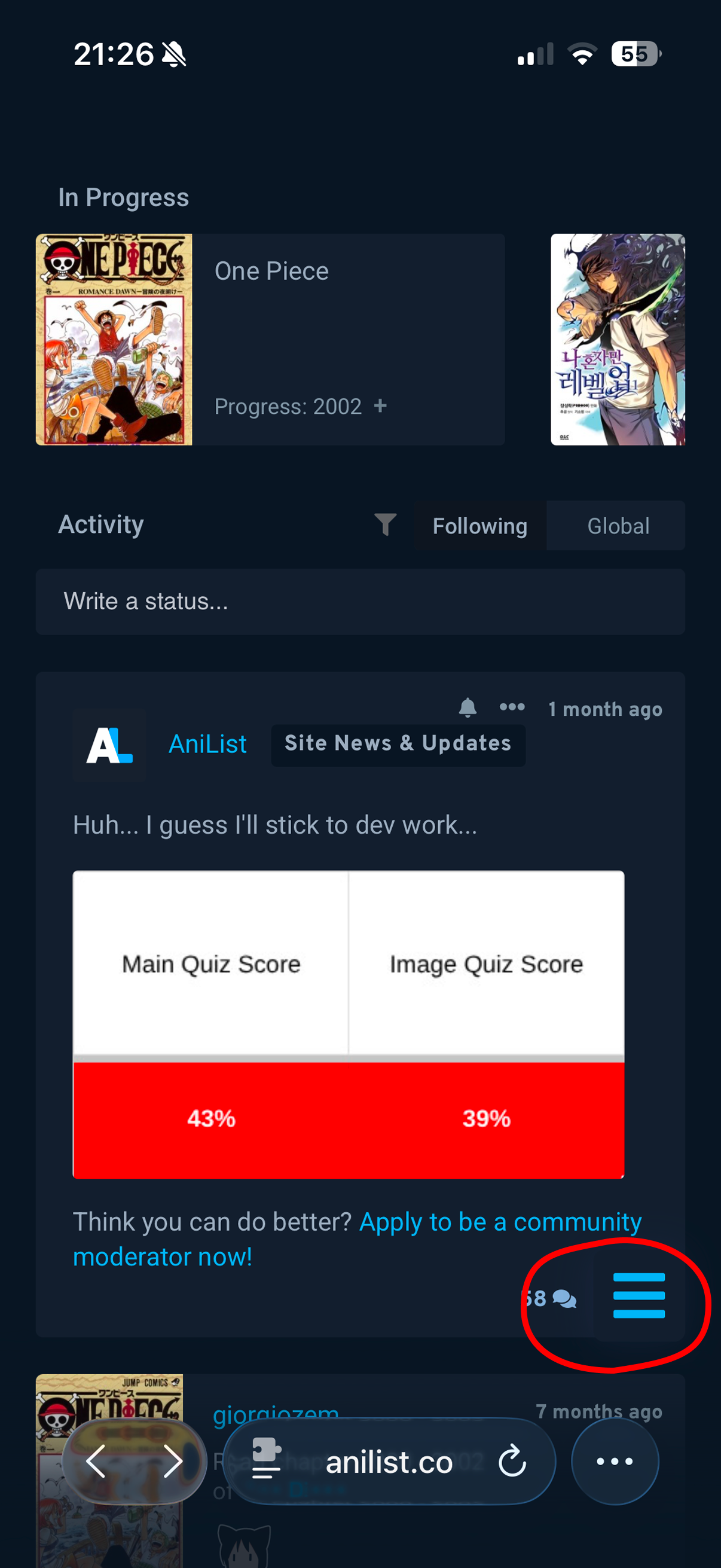
Tap on settings
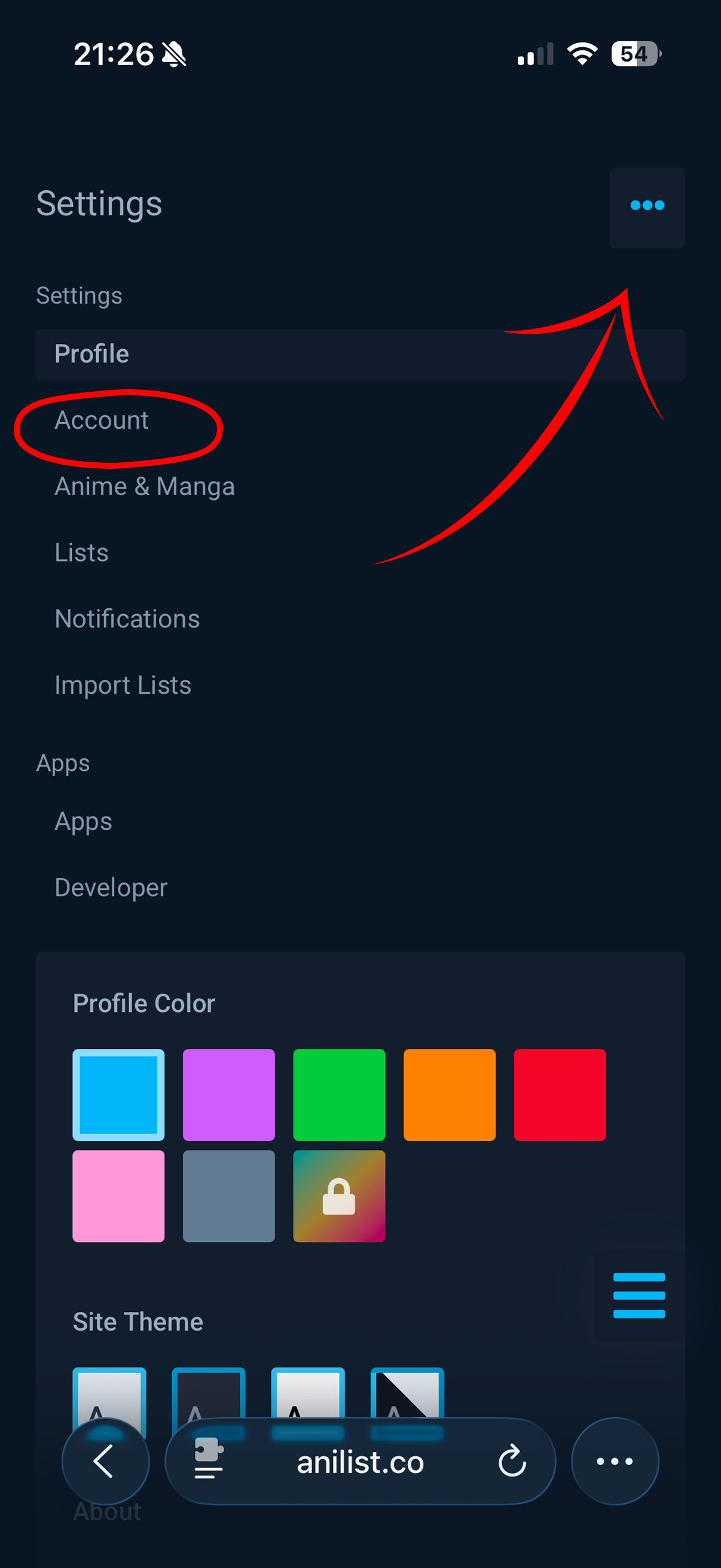
Tap on the three dots in the upper right corner and then press on Account
Scroll down and set the Privacy option to Public
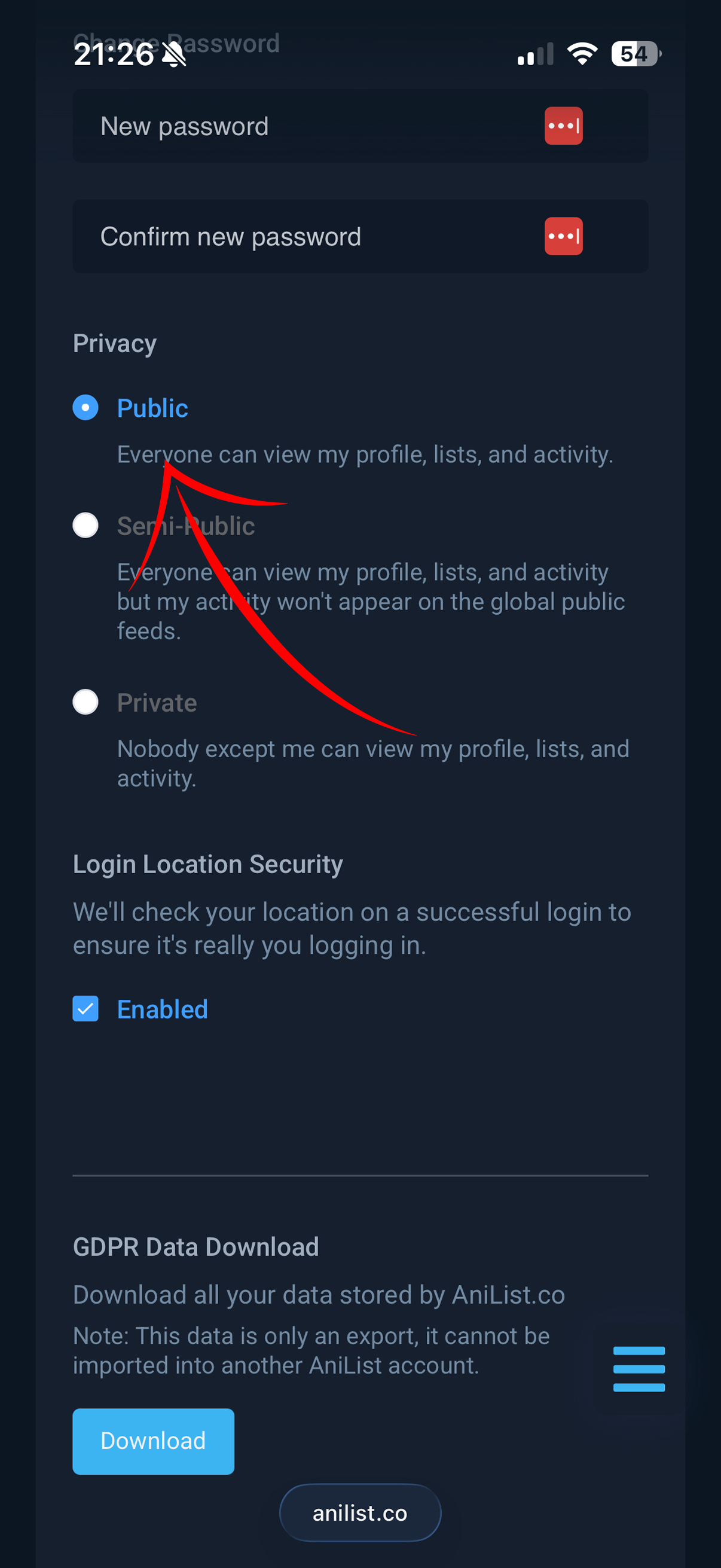
Now save the privacy settings
Go back to MangaTime
Open the Profile tab using the bottom navigation bar
Open up the settings by tapping on the gear icon in the top right corner
Press on Import from AniList
Enter your AniList username, and that’s it, your list will be imported automatically!